Menu
🇺🇸EN$
Country
No results
Language
No results
Currency
No results
Length unit
No results
Tutorials

Your ArtelistaSHOP on Facebook

@artelista @artelista | January 23, 2014 |
Your ArtelistaSHOP on Facebook

If you're an artist, this is your lucky day. With the ArtelistaSHOP app we've created for Facebook, your friends and followers will be one step closer to your artworks. If you're wondering what you have to do to promote your artworks on your page, just follow the instructions below. If you already have a Facebook page, you can go straight to step 3 (bear in mind that registering on Facebook creates a profile, not a page. If you don't have any pages linked to your profile, go to step 1).

Cómo añadir ArtelistaSHOP

Step 1: To add the app, you need a Facebook page. It's quick and easy, just click on http://on.fb.me/SPJUIb and select "Artist, Band or Public Figure".
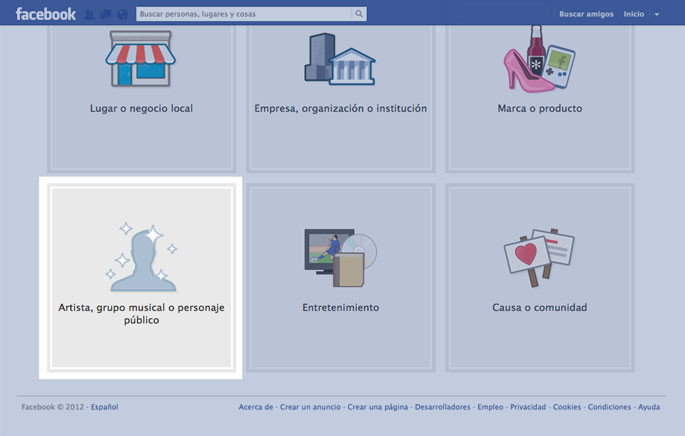
step1

Step 2: Choose the "Artist" category and type in a name for your page. Click "Get Started" and follow all the steps to the end.
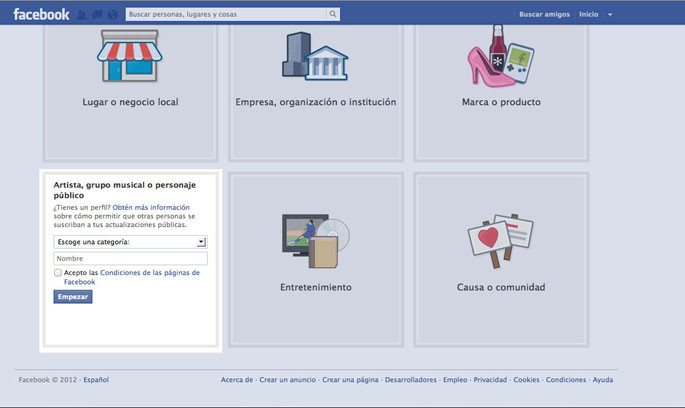
step2
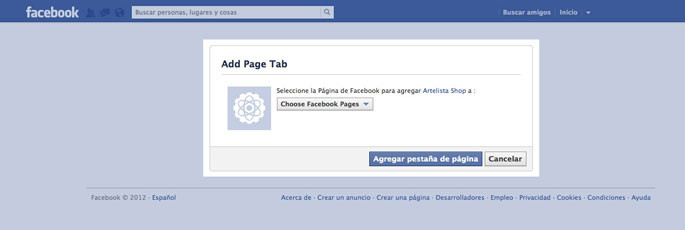
Step 3: Already have a Facebook page? Click on the following link to add the ArtelistaSHOP app: http://on.fb.me/SRAANB . Select your page from the drop-down menu and follow the steps.

step3
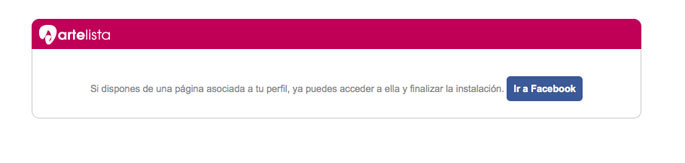
Step 4: On the last step, we'll redirect you to your Facebook profile, click the button.

step4
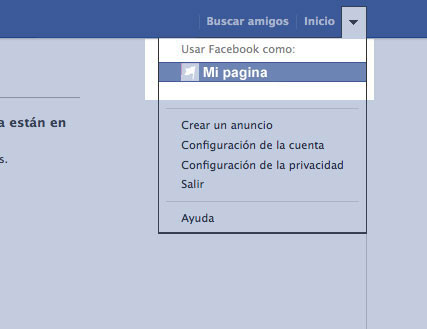
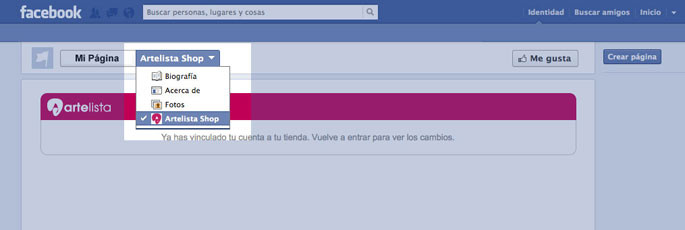
Step 5: Go to your page by clicking the arrow next to the "Home" button, in the top right corner.

step5
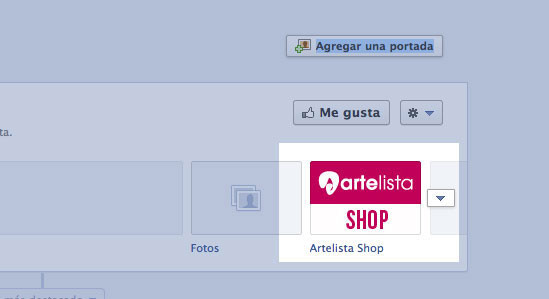
Step 6: Can you see the ArtelistaSHOP icon on your page? You're almost there, soon all your artworks will be available through Facebook. Click the icon to carry on with the process.

step6
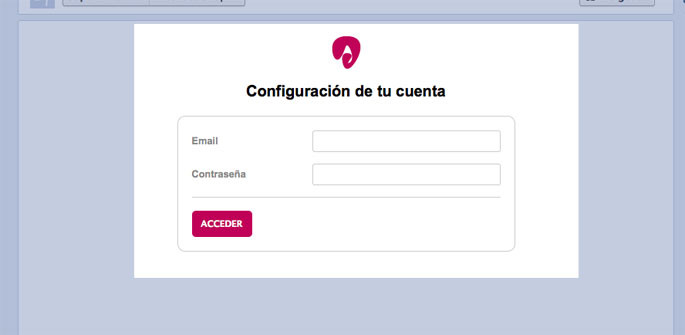
Step 7: Enter your login details and click Sign in.

step7
Step 8: Go back into the app to finish the process and see how your ArtelistaSHOP looks.

step8

Now you can start promoting your artworks on Facebook!

Comments (0)